
Download GSplit – Free File Splitter & Joiner for Windows (Secure, Lightweight, Easy to Use)
Looking for a reliable way to split large files into smaller parts for email, USB storage, or cloud backup? GSplit is a free, lightweight, and secure file splitting tool designed for Windows users who need to manage large files efficiently. Whether you're sending a 5GB video via email or backing up a massive archive to a flash drive, GSplit breaks your file into manageable pieces and provides a simple way to reassemble them later.
With support for splitting by size, number of parts, or even line count in text files, GSplit offers flexibility without complexity. The tool generates a self-contained GUnite.exe file that allows recipients to seamlessly rejoin the split parts—no extra software required. Plus, built-in integrity checks and split logs ensure your data remains safe during transfer.
Ideal for students, professionals, and anyone who deals with large files regularly, GSplit is a no-nonsense solution that works fast and reliably. Download GSplit today and take full control of your file management.
Why GSplit Is the Best Free File Splitter for Windows Users
When it comes to handling large files, many users face the frustrating limitation of email attachments, cloud storage caps, or USB drive size restrictions. That’s where GSplit shines as a powerful yet simple solution. Unlike bulky file compression tools, GSplit focuses solely on splitting and reassembling files—without altering their content.
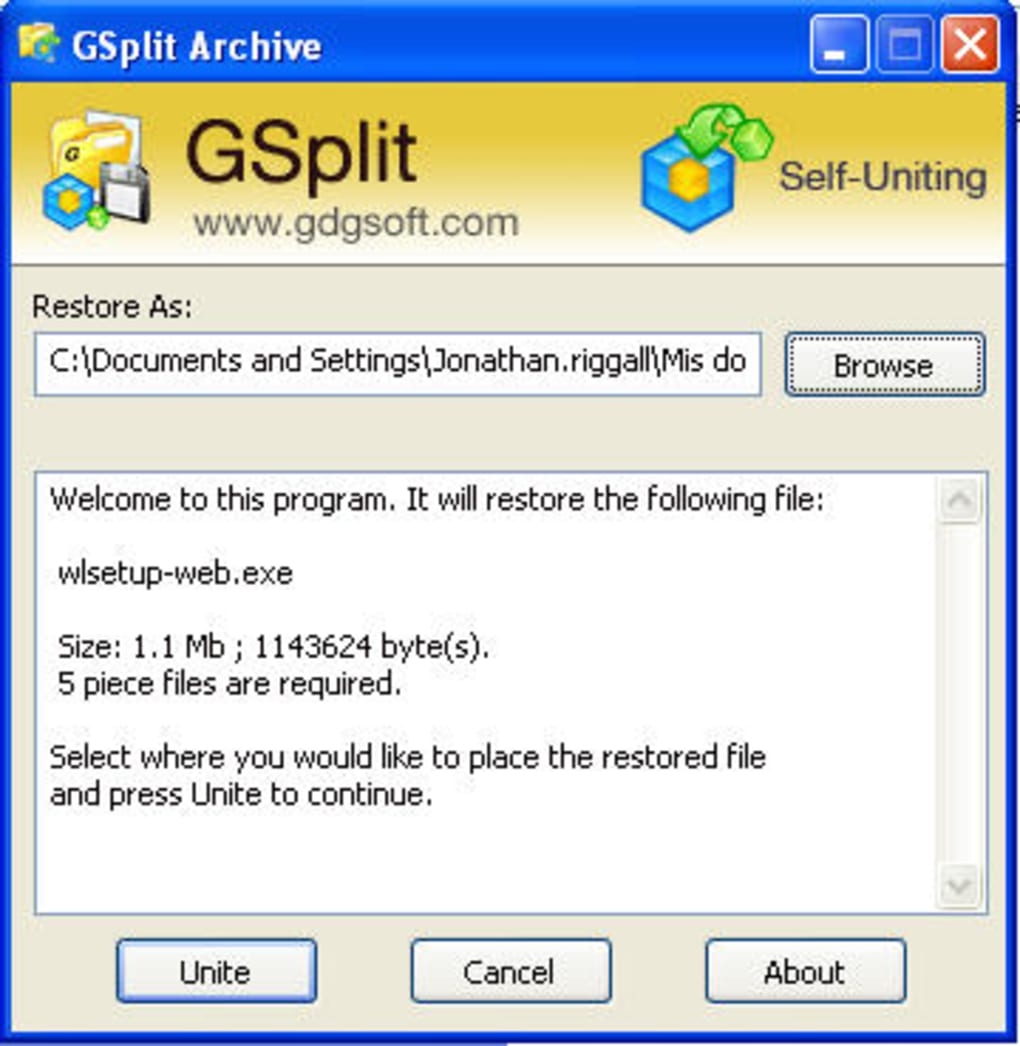
This makes it ideal for preserving the original file integrity, whether you're working with videos, documents, databases, or software installers. One of the standout features is the automatic generation of a GUnite.exe file, which acts as a universal key to rejoin all split parts. Recipients don’t need to install anything—just double-click the executable, and the original file is reconstructed instantly.
GSplit supports multiple splitting methods: you can split by file size (e.g., 100MB per part), by the number of parts (e.g., 5 equal pieces), or even by the number of lines in text files—a handy feature for log analysis or data processing. The tool also includes a split log that records all actions, allowing you to verify the process and troubleshoot if needed. For added security, GSplit performs integrity checks after splitting, ensuring no data corruption occurs during the process.
The interface is clean and intuitive, making it accessible even for beginners. With minimal system resource usage and no ads or bundled software, GSplit delivers a truly secure, free, and lightweight experience. Whether you're a student sharing project files, a remote worker sending reports, or a content creator distributing large media files, GSplit streamlines your workflow without complications.
How to Use GSplit: Installation, Setup, and Splitting Workflow
Getting started with GSplit is quick and straightforward. First, download GSplit from the official website—no registration or third-party links required. The installer is a single executable file, so there’s no lengthy setup process.
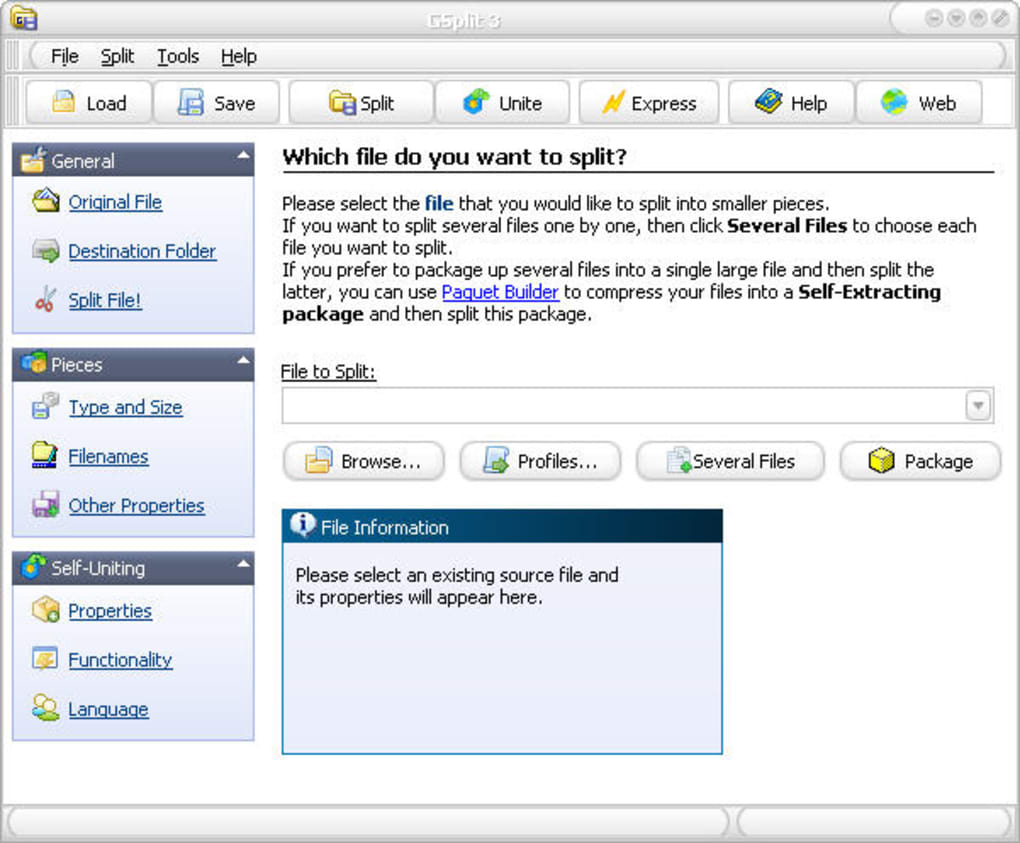
Once installed, launch the application, and you’ll be greeted with a minimalistic interface that puts functionality first. To split a file, click “Split”, then browse and select the large file you want to divide. Next, choose your splitting method: either by size (e.g., 250MB per chunk), by number of parts (e.g., split into 4 files), or by line count for text files.
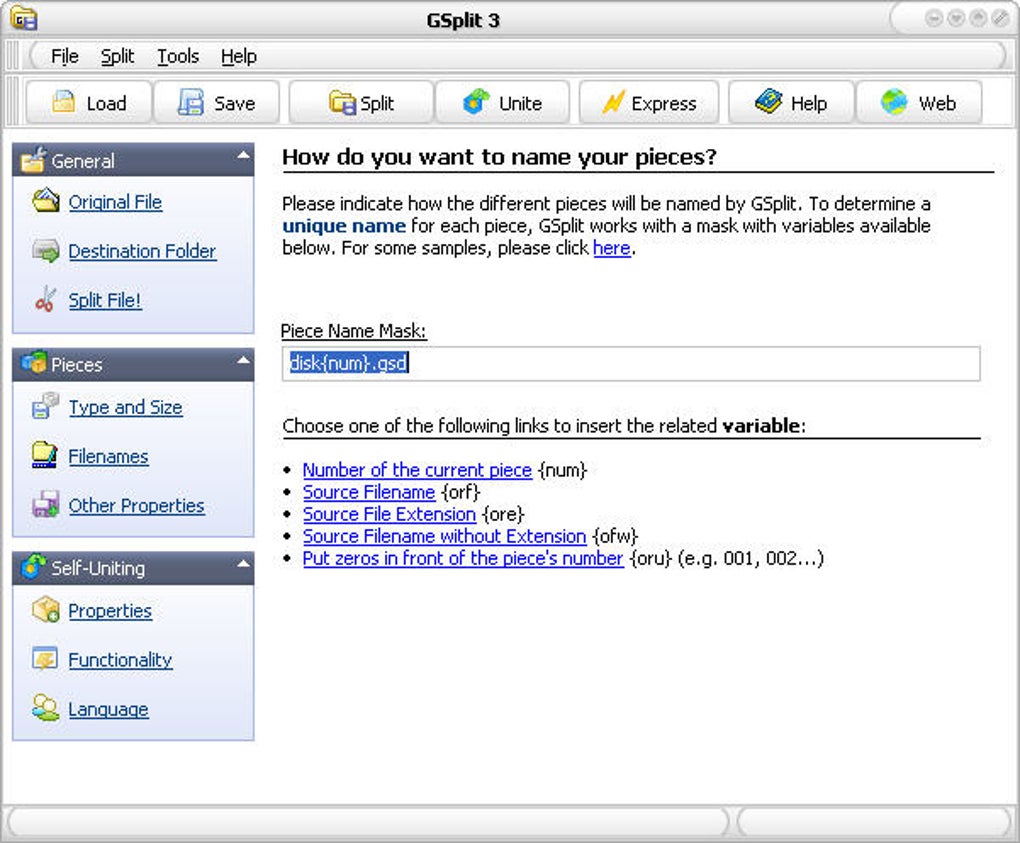
After selecting your parameters, choose a destination folder where the split files and GUnite.exe will be saved. You can also customize the filename pattern using a mask—like part_001.dat, part_002.dat, etc.—for better organization. Once you confirm, GSplit begins processing.
During the split, the current file being processed is displayed in real-time, so you can monitor progress. The entire process is fast, even for large files, thanks to optimized memory handling and a default buffer size of 64KB (previously prone to issues with larger buffers). After completion, you’ll have a set of smaller files and a standalone GUnite.exe file.
To reassemble, simply send all parts and the executable to the recipient. They just run the .exe, and the original file is automatically restored. This seamless workflow makes GSplit a must-have tool for anyone who regularly transfers large files.
Key Features of GSplit (itemprop="featureList")
- Split files by size, number of parts, or line count (text files)
- Auto-generates a standalone
GUnite.exefile for rejoining - Built-in split log and integrity verification for data safety
- Custom filename masks for organized file naming
- Lightweight, fast, and low on system resources
- Free to download and use with no ads or bloatware
- Supports Windows OS with automatic update checks
Pros and Cons of Using GSplit (itemprop="review")
Pros
- Completely free with no hidden costs or trials
- Lightweight and fast—minimal impact on system performance
- No installation required; portable and easy to use
- Self-contained rejoining process via
GUnite.exe - Supports multiple split methods with customizable options
- Regular updates with bug fixes and improved stability
Cons
- Only available for Windows (no Mac, Android, or iOS version)
- Interface is functional but not visually modern
- Limited to file splitting and joining—no compression or encryption
- No built-in sharing options (you must send files manually)
Frequently Asked Questions (FAQ) – GSplit Guide
Final Verdict: GSplit Is a Must-Have Tool for File Management
If you frequently deal with large files and need a reliable, free way to split and rejoin them, GSplit is one of the best tools available—especially for Windows users. Its simplicity, speed, and security make it a standout in the world of file utilities. While it lacks support for Mac and mobile platforms, its core functionality is flawless. The ability to generate a standalone GUnite.exe file ensures that even non-technical users can easily reassemble your files. With regular updates, improved memory management, and a user-friendly interface, GSplit continues to evolve without losing its focus.
Whether you're sending a large project via email, backing up data to a USB drive, or sharing media with friends, GSplit removes the barriers of file size limits. It’s a lightweight, secure, and efficient solution that delivers exactly what it promises—no more, no less. If you’re tired of dealing with file upload restrictions or complex cloud setups, give GSplit a try. Download GSplit today and simplify your file-sharing workflow with confidence.
CTA: Ready to split and share large files with ease? Download GSplit now—free, fast, and secure.







